
Download ArtSpace – AI Design Subscription Tool, Free Trial, Secure Updates
Introduction and Overview
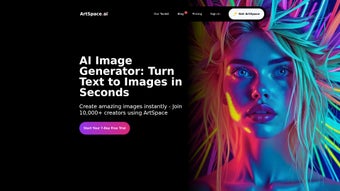
ArtSpace is a cutting‑edge, subscription‑based design platform that leverages artificial intelligence to streamline the creative workflow for professionals and hobbyists alike. Launched on Softonic in May 2025, the service lives entirely in the browser, which means users can start designing from any device without the need for a heavyweight desktop install. This cloud‑first approach not only reduces the barrier to entry but also ensures that the latest AI models and security patches are delivered automatically, keeping the experience fresh and safe.
ArtSpace targets a broad audience—graphic designers, marketers, small business owners, and even casual social‑media creators—by offering a suite of tools that range from quick social‑media post generators to full‑scale marketing campaign layouts. The platform’s AI engine analyses user‑provided briefs, mood boards, or brand guidelines and then produces multiple design concepts in seconds, dramatically cutting down the time traditionally spent on brainstorming and iteration. Security is a core pillar; all assets are stored in encrypted cloud servers that comply with GDPR and CCPA, and the service uses HTTPS for all data transfers.
While a free 14‑day trial lets users explore the full feature set, continued use requires a subscription, which comes in both monthly and annual plans. The combination of AI‑driven creativity, real‑time collaboration, and secure, cross‑device accessibility makes ArtSpace a compelling addition to any modern designer’s toolbox.
Key Features That Set ArtSpace Apart
ArtSpace’s feature set is designed to cover every stage of the design process, from concept generation to final export. The platform’s AI‑powered design generator can take a simple text brief or an uploaded mood board and instantly create a variety of design concepts that align with the user’s brand palette, saving countless hours of manual drafting. Smart layout suggestions analyze the hierarchy of content and automatically recommend optimal spacing, typography, and alignment, ensuring that each design looks polished and professional without requiring deep design expertise.
The extensive asset library provides access to millions of royalty‑free images, icons, and vector shapes, all searchable through intuitive filters, which eliminates the need to source assets from multiple third‑party sites. Real‑time collaboration tools allow multiple team members to edit, comment, and approve designs simultaneously, with changes synced instantly across all browsers. The brand kit integration feature lets users upload their brand guidelines once; thereafter, the system automatically applies the correct colors, fonts, and logos to every new design, guaranteeing brand consistency.
Export flexibility is another strong point: designs can be downloaded in PNG, JPG, SVG, PDF, or published directly to popular social platforms such as Instagram, LinkedIn, and Facebook. Version history and undo functionality keep a complete log of changes, enabling users to revert to previous iterations or compare versions side‑by‑side. Secure cloud storage safeguards all projects with encryption, while regular AI model updates keep the tool aligned with the latest design trends.
Finally, the multi‑device access model ensures that users can start a project on a desktop, continue on a tablet, and finalize on a smartphone, all without losing any work.
- AI‑Powered Design Generator: Input a brief or upload a mood board, and the AI instantly produces multiple design concepts tailored to your brand palette.
- Smart Layout Suggestions: The system analyzes content hierarchy and recommends optimal spacing, typography, and alignment for maximum visual impact.
- Extensive Asset Library: Access millions of royalty‑free images, icons, and vector shapes, all searchable within the app.
- Real‑Time Collaboration: Invite team members to edit or comment on projects simultaneously, with changes synced instantly across browsers.
- Brand Kit Integration: Upload your brand guidelines once; ArtSpace automatically applies colors, fonts, and logos to every new design.
- Export Flexibility: Export designs in PNG, JPG, SVG, PDF, or directly to social platforms like Instagram, LinkedIn, and Facebook.
- Version History & Undo: Every change is logged, allowing you to revert to previous versions or compare iterations side‑by‑side.
- Secure Cloud Storage: All projects are saved in encrypted servers, ensuring privacy and compliance with GDPR and CCPA.
- Regular AI Model Updates: The platform receives monthly AI enhancements, keeping design trends and style recommendations up‑to‑date.
- Multi‑Device Access: Since it runs in the browser, you can start a project on a desktop, continue on a tablet, and finalize on a smartphone.
Installation & First‑Time Usage Guide
Step‑by‑Step Installation
Because ArtSpace is a web‑based solution, there is no traditional installer to download. Follow these simple steps to get started:
- Open your preferred browser (Internet Explorer, Firefox, Opera, Safari, or Chrome) and navigate to the official ArtSpace landing page.
- Click the “Start Free Trial” button. You’ll be prompted to create an account using an email address or a social login (Google, Facebook, or Apple).
- After confirming your email, you’ll be taken to the dashboard where the AI engine loads in the background. This may take a few seconds depending on your internet speed.
- Accept the terms of service and privacy policy. ArtSpace stores your data securely, but it’s good practice to read the agreements.
- Once logged in, you’ll see the “Create New Project” button. Click it to launch the design canvas.
First‑Time Usage Tips
When you open a new canvas, ArtSpace greets you with a short tutorial overlay. Pay attention to the following pointers:
- Define Your Brief: Use the “Project Brief” panel to type a concise description of what you need—e.g., “Instagram post for a summer sale, pastel colors, modern style.”
- Select a Template: If you’re unsure, choose from the library of pre‑made templates that match common use cases like flyers, ads, or presentations.
- Leverage the AI Generator: Hit the “Generate Concepts” button. Within seconds, the AI will present 3‑5 design variations based on your brief.
- Customize: Drag‑and‑drop elements, swap images, adjust text, and experiment with the brand kit to make the design truly yours.
- Save & Export: When satisfied, click “Save” to store the project in the cloud, then choose an export format or publish directly to your social accounts.
Because everything runs in the browser, updates are automatic—no manual patching required. If you encounter any hiccups, the built‑in help center offers searchable articles, video tutorials, and a live chat option for premium subscribers. For power users, advanced settings let you adjust AI creativity levels, control asset usage limits, and integrate third‑party analytics to track the performance of published designs.
Compatibility, Pros & Cons
ArtSpace is fully compatible with all major desktop and mobile browsers, including Internet Explorer 11, Mozilla Firefox, Opera, Safari, and Google Chrome. The responsive design adapts to screen sizes from 1024 px desktop monitors down to 320 px smartphone displays, ensuring a consistent experience regardless of device. Because the application runs in the cloud, it requires only a stable internet connection; there is no need for local processing power, which makes it ideal for both high‑end workstations and modest laptops.
Pros
- Zero‑install web app—accessible from any device with a modern browser.
- AI‑driven design suggestions drastically cut down creative time.
- Robust asset library eliminates the need for third‑party image sites.
- Real‑time collaboration streamlines teamwork across locations.
- Secure cloud storage with encryption meets enterprise compliance standards.
- Regular AI updates keep the tool aligned with the latest design trends.
- Multi‑device access lets you switch between desktop, tablet, and phone effortlessly.
- Version history and undo features protect against accidental changes.
- Brand kit integration guarantees consistent brand representation.
- Export options cover all major file formats and direct social publishing.
Cons
- Requires a stable internet connection; offline work is not supported.
- Subscription pricing may be a barrier for occasional hobbyists.
- Limited advanced vector editing compared to dedicated desktop tools like Adobe Illustrator.
- Performance can vary on older browsers (e.g., IE 11) due to modern JavaScript features.
- Free trial limits the number of projects you can export.
- Learning curve for users unfamiliar with AI‑generated design workflows.
- Data residency is tied to the provider’s cloud locations, which may concern some enterprises.
Frequently Asked Questions & Conclusion
Is there a free version of ArtSpace?
ArtSpace offers a 14‑day free trial that gives full access to all core features. After the trial, you’ll need to choose a paid subscription to continue using the platform.
Which browsers are officially supported?
The application runs on Internet Explorer 11, Mozilla Firefox, Opera, Safari, and Google Chrome. For the best experience, we recommend the latest version of Chrome or Safari.
Can I collaborate with team members in real time?
Yes. ArtSpace includes real‑time collaboration tools that let multiple users edit, comment, and approve designs simultaneously, with changes reflected instantly.
How secure is my data on ArtSpace?
All assets and project files are stored in encrypted cloud servers that comply with GDPR and CCPA. ArtSpace also uses HTTPS for all data transfers.
What export formats are available?
You can export designs as PNG, JPG, SVG, PDF, or directly publish them to major social media platforms from within the app.
Final Thoughts and Call to Action
ArtSpace represents a significant step forward for designers who want AI assistance without the hassle of installing heavyweight software. Its browser‑based architecture, secure cloud storage, and robust feature set make it a strong contender in the AI design category. While the subscription model may not suit everyone, the productivity gains—especially for teams that need rapid iteration and seamless collaboration—often justify the cost. If you’re looking for a tool that can generate high‑quality visuals on demand, streamline brand consistency, and keep your workflow entirely online, ArtSpace is worth a try. Download ArtSpace today, start your free trial, and experience AI‑enhanced creativity for yourself.



.png)



